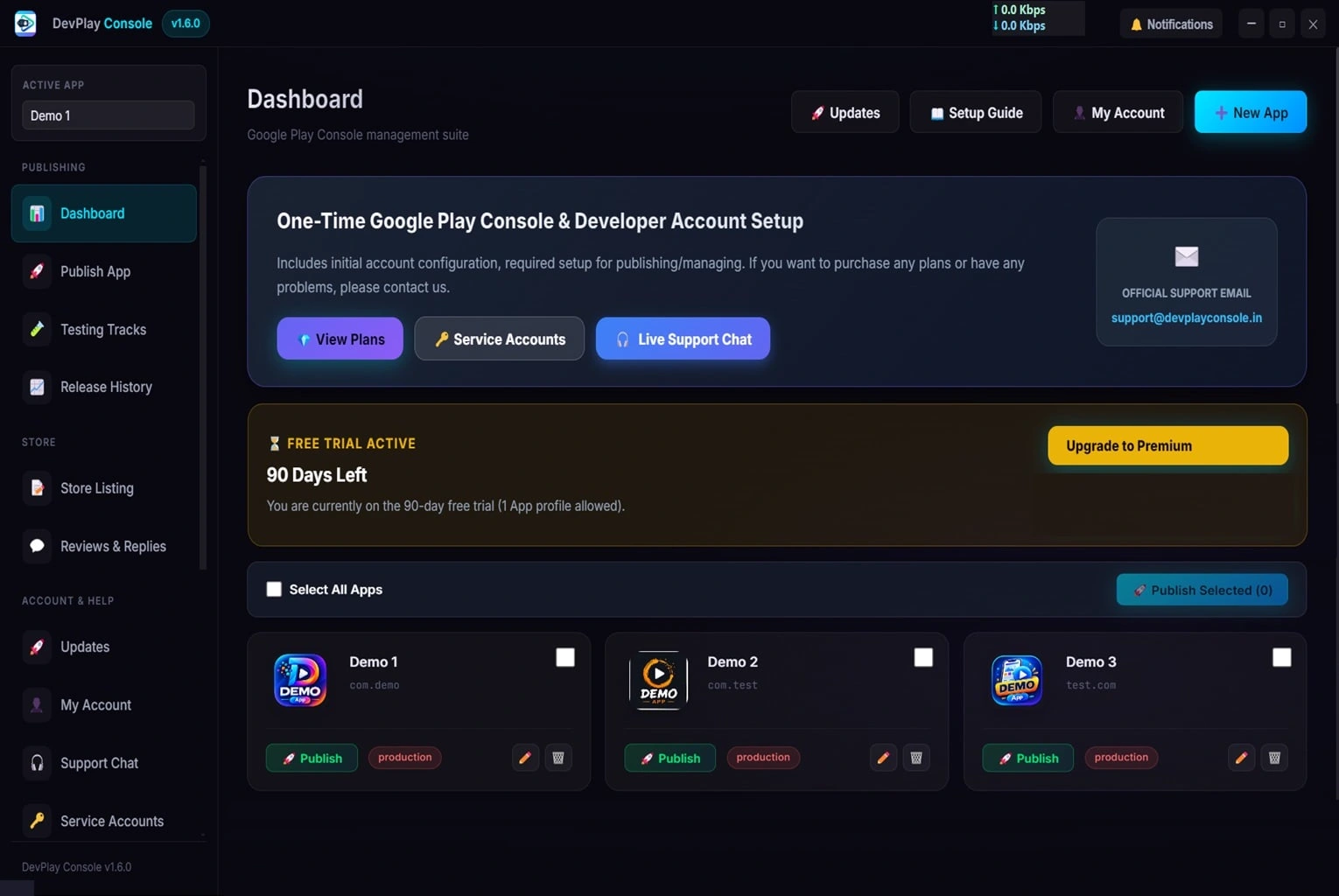
🎁 90-Day Free Trial Activated β€’ No Credit Card Required

The Ultimate Client Android App Release Tool for Windows

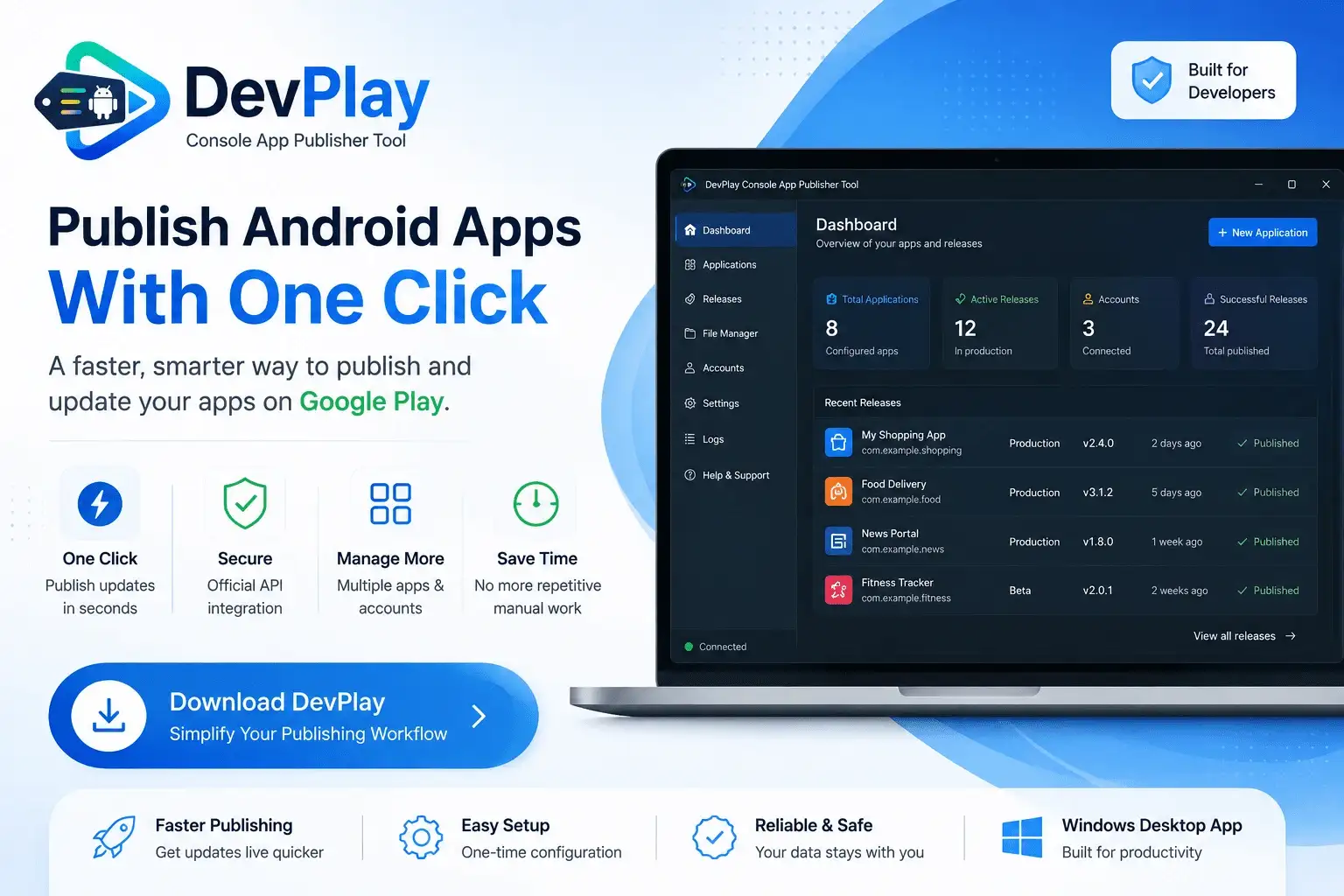
Stop wasting hours clicking through repetitive Google Play Console web portal menus. Connect your Google Developer API Service Account once and deploy Client Android App Release Tool updates directly from your Windows PC in seconds.

⚑ ⚑ Download Free Trial (.exe) Get from Microsoft Store

Developer Scenarios

Indie Android Developers

Eliminate browser lag and deploy app updates in seconds without leaving your desktop coding workspace. Focus on building features instead of managing web portals.

Mobile App Agencies & Studios

Manage 50+ client applications across multiple Google Developer accounts without constant browser sign-outs and two-factor prompts.

Freelance App Developers

Deliver client updates quickly, edit store listing graphics, and reply to Google Play user reviews from one centralized PC tool.

Enterprise Software Teams

Automate recurring app maintenance, track release histories, analyze build errors, and ensure zero Play Store submission rejections.

Comprehensive Feature Suite

⚑

1-Click Publisher

Upload AABs directly to Production, Beta, or Staging tracks instantly.

🎨

Graphics Manager

Update icons, feature graphics, and screenshots effortlessly.

πŸ›‘οΈ

Error Analyzer

Preflight checks verify version codes and signatures locally.

πŸ”‘

Key Security

256-bit AES encryption for all your Service Account API keys.

πŸ‘₯

Multi-Account

Manage dozens of client apps from one centralized dashboard.

πŸ’¬

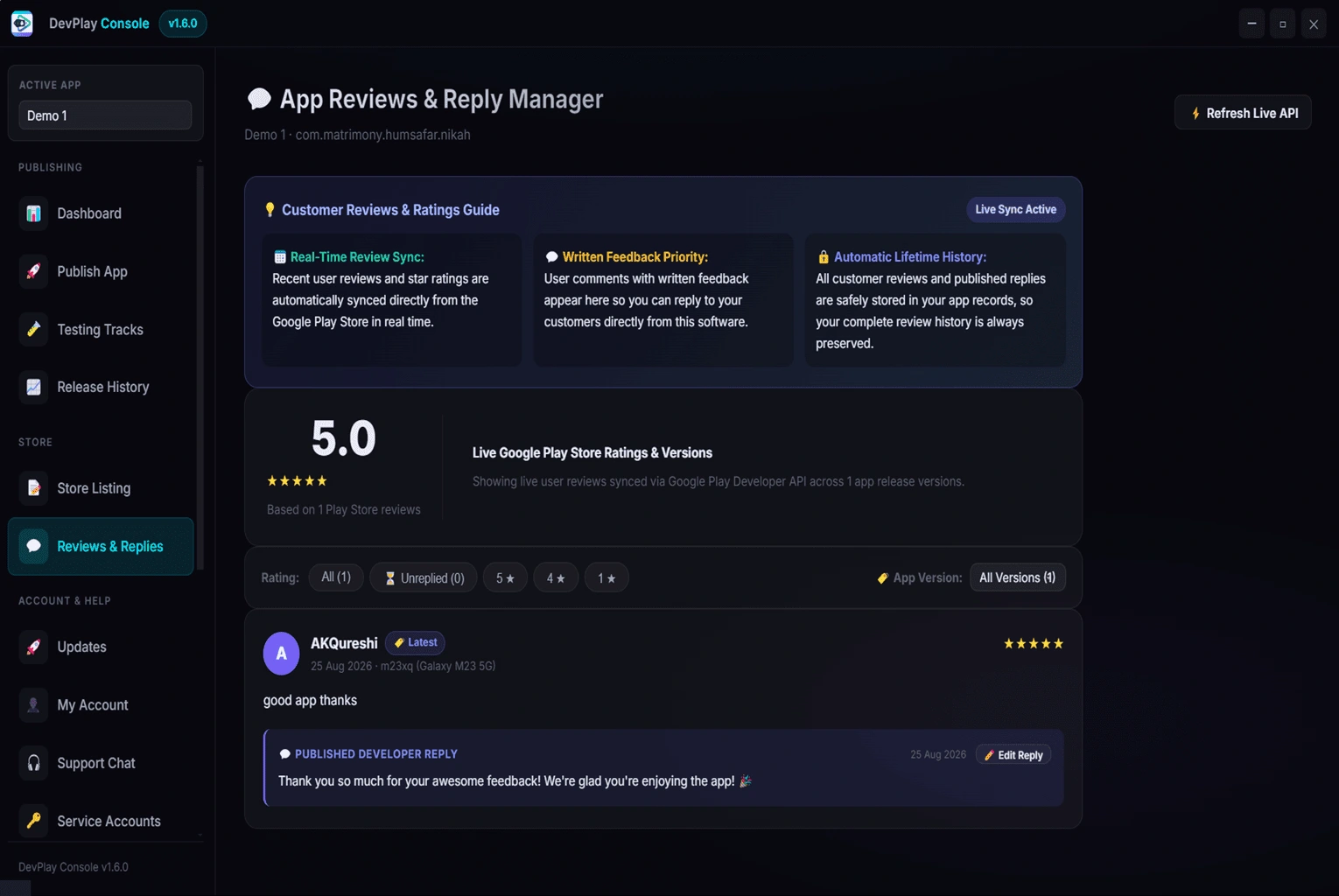
Review Center

Reply to Google Play Store user reviews directly on PC.

Deployment Workflow Blueprint

1

Automated 1-Click DevPlay Console Tool Software Setup

Open DevPlay Console Tool and click **Auto Setup**. DevPlay Console Tool's built-in wizard automatically handles all background account linkages and publishing credentials seamlessly within the software flow in secondsβ€”no manual web portal configurations required.

2

Configure Your App Profile & Workspace

In DevPlay Console Tool, click **+ New Application**, enter your package name (e.g. `com.example.myapp`), and select your default target release track (Production, Beta, Alpha, or Internal).

3

Select Compiled Build Package (.aab / .apk)

When your build is compiled in Android Studio, Flutter, React Native, Unity, or Godot, open DevPlay Console Tool, choose your target app, and select the compiled `.aab` file from your build output directory.

4

Edit Store Listing Assets & Localization

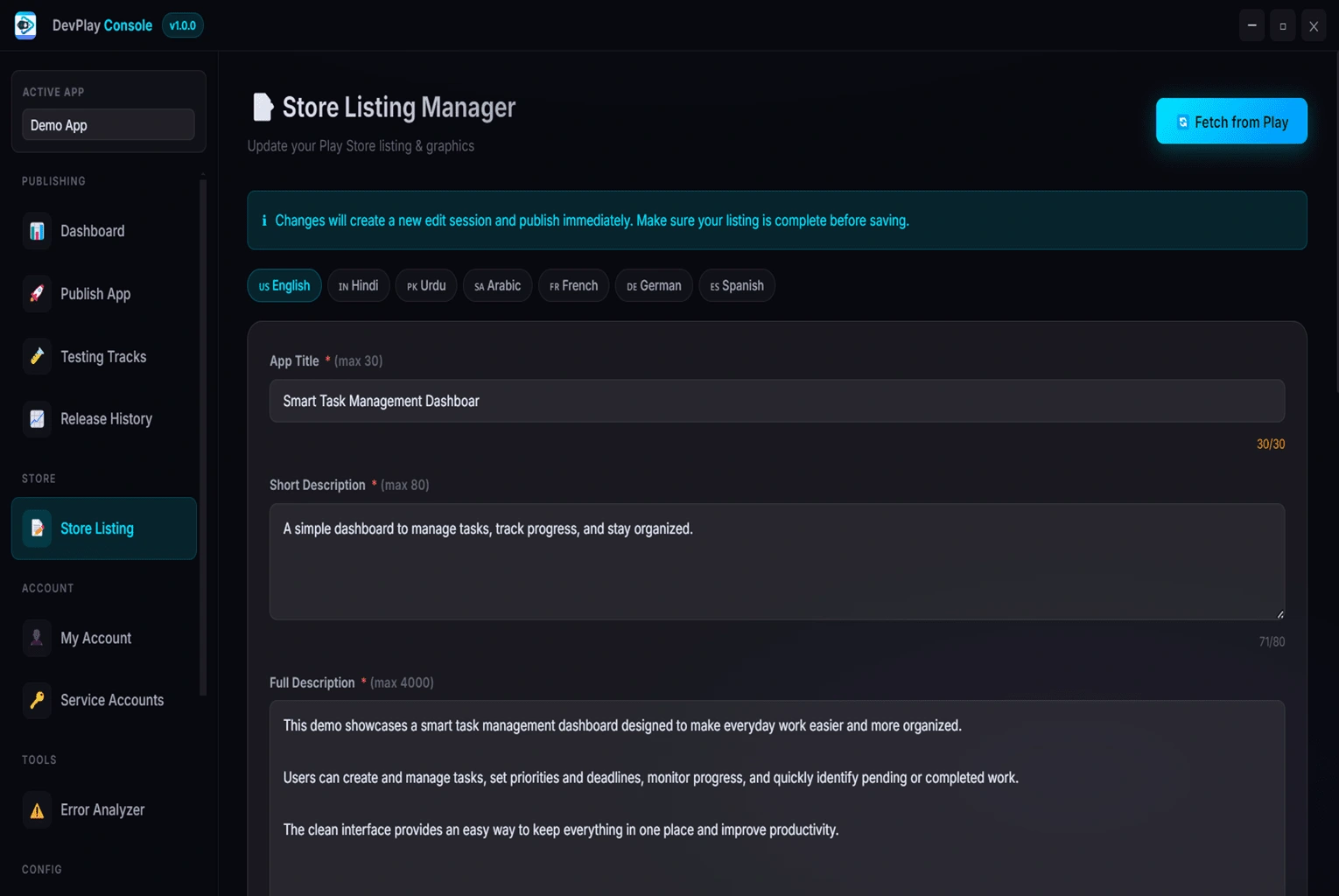
Update your app title, short description, full description, 512x512 icon, 1024x500 feature graphic, and release notes in multiple languages within DevPlay Console Tool's centralized editor.

5

Run Preflight Error Analyzer

Click **Analyze Build** to run automated preflight checks. DevPlay Console Tool verifies version numbers, package IDs, and signing keys to guarantee zero upload rejections.

6

1-Click Rollout to Google Play

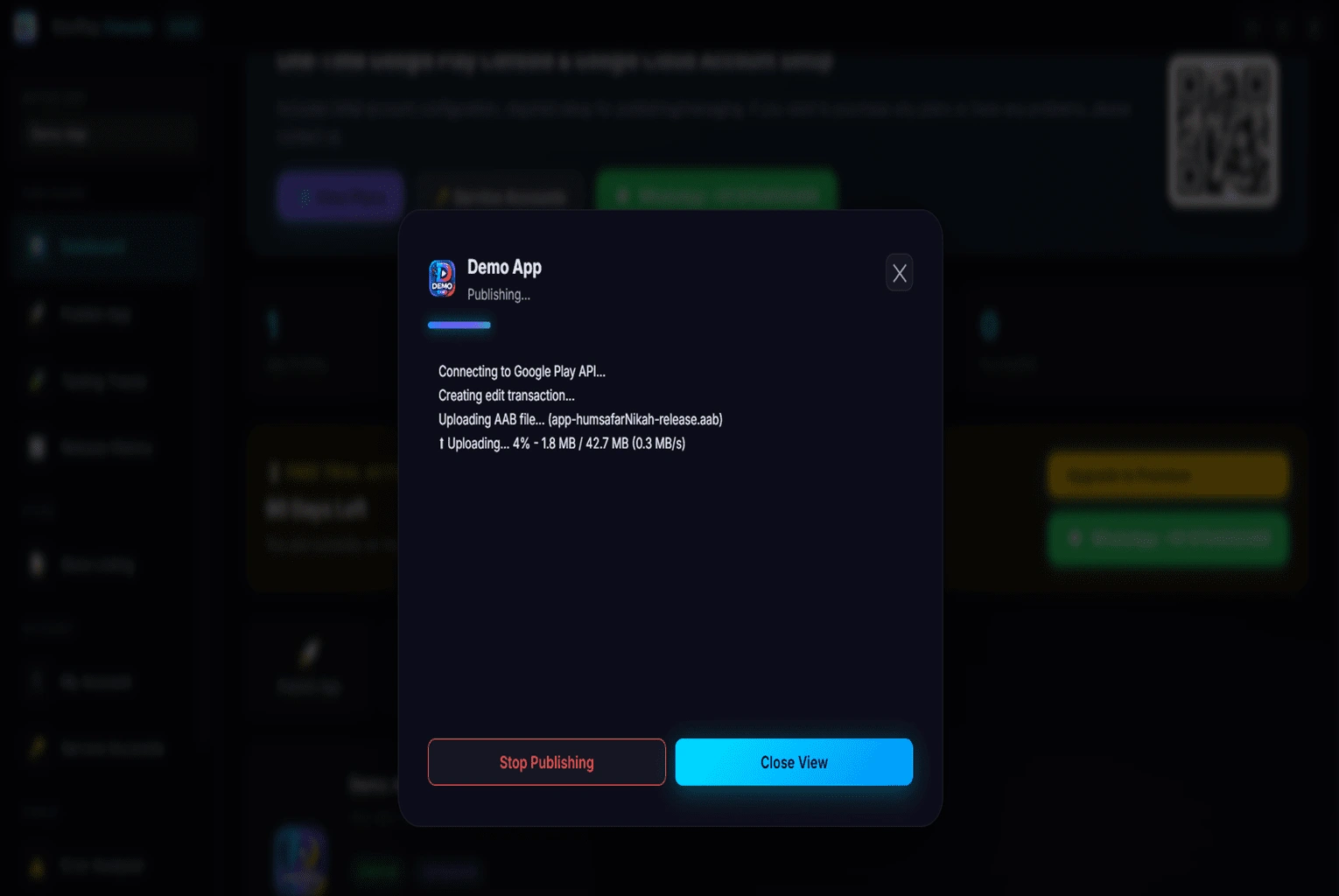
Click **Publish Update**! DevPlay Console Tool streams the build to Google Play, sets your rollout percentage, and displays a real-time deployment log. Your update is live in seconds!

Technical Specifications

βœ“
Supported Operating Systems Windows 10 (64-bit), Windows 11 (64-bit).
βœ“
Supported Application Formats Android App Bundle (.aab), Android Package (.apk).
βœ“
API Integration Engine Official Google Play Developer API v3 (REST / HTTPS Direct Connection).
βœ“
Authentication Credentials Service Account JSON Key files with 256-bit AES local hardware encryption.
βœ“
Supported Release Tracks Production Track, Open Beta Track, Closed Beta Track, Internal Testing Track.
βœ“
Store Listing Assets Manager App Icons (512x512 PNG), Feature Graphics (1024x500 PNG), Phone Screenshots (Up to 8 PNG/JPG screenshots), Multi-Language Descriptions across 50+ locales.
βœ“
Data Privacy & Security Guarantee 100% Local data storage, zero cloud credential transmission, encrypted local SQLite storage.

Web Portal vs Desktop Tool

Feature WorkflowManual Play ConsoleDevPlay Console Tool
Publishing Time15 to 20 Minutes per update10 to 15 Seconds (1-Click)
AuthenticationRepeated browser loginsAutomated setup wizard
Upload ReliabilityBrowser timeouts on large AABsDirect HTTPS API streaming
Preflight ChecksRejections happen after uploadBuilt-in Analyzer checks locally
Multi-Account SuiteBrowser sign-out confusionCentralized workspace

Master Client Android App Release Tool with DevPlay Console Tool

Comprehensive Guide & Overview of Client Android App Release Tool


In the modern Android application ecosystem, speed, accuracy, and reliability are vital for maintaining high app ratings and user retention. Publishing a new Android App Bundle (.aab) or APK to the Google Play Store traditionally requires navigating complex web forms, managing multiple developer accounts, re-entering localized release notes across 50+ languages, and waiting for web browser upload sessions to complete. For developers, freelancers, agencies, and software studios managing dozens of applications, these manual web steps quickly become a major bottleneck in the software development lifecycle.

DevPlay Console Tool is a native, high-performance Windows desktop application engineered explicitly to streamline Client Android App Release Tool. By leveraging the official Google Play Developer API v3, DevPlay Console Tool eliminates browser latency, automates version code inspection, manages Service Account JSON key credentials locally, and allows developers to push updates to Production, Beta, Alpha, or Internal testing tracks with a single click.

---

Multi-Client App Agency Workflow Solution for Client Android App Release Tool


Mobile app agencies and development studios managing 30+ client applications face constant organizational challenges. Managing separate Google Developer accounts for every client leads to browser account switching chaos, lost credentials, and deployment delays.

DevPlay Console Tool provides a dedicated agency workspace:
- Maintain isolated client app profiles with linked Service Account JSON keys.
- Manage client Store Listing graphics (512x512 app icons, 1024x500 feature graphics, phone screenshots).
- Centralize user review monitoring and reply to Play Store feedback directly from PC.
- Give developers a secure publishing workstation without sharing master Google account passwords.

---

Core Challenges Solved by Client Android App Release Tool


When publishing Android applications manually through the Play Console web portal, developers regularly encounter recurring friction points that consume hours of productive coding time:

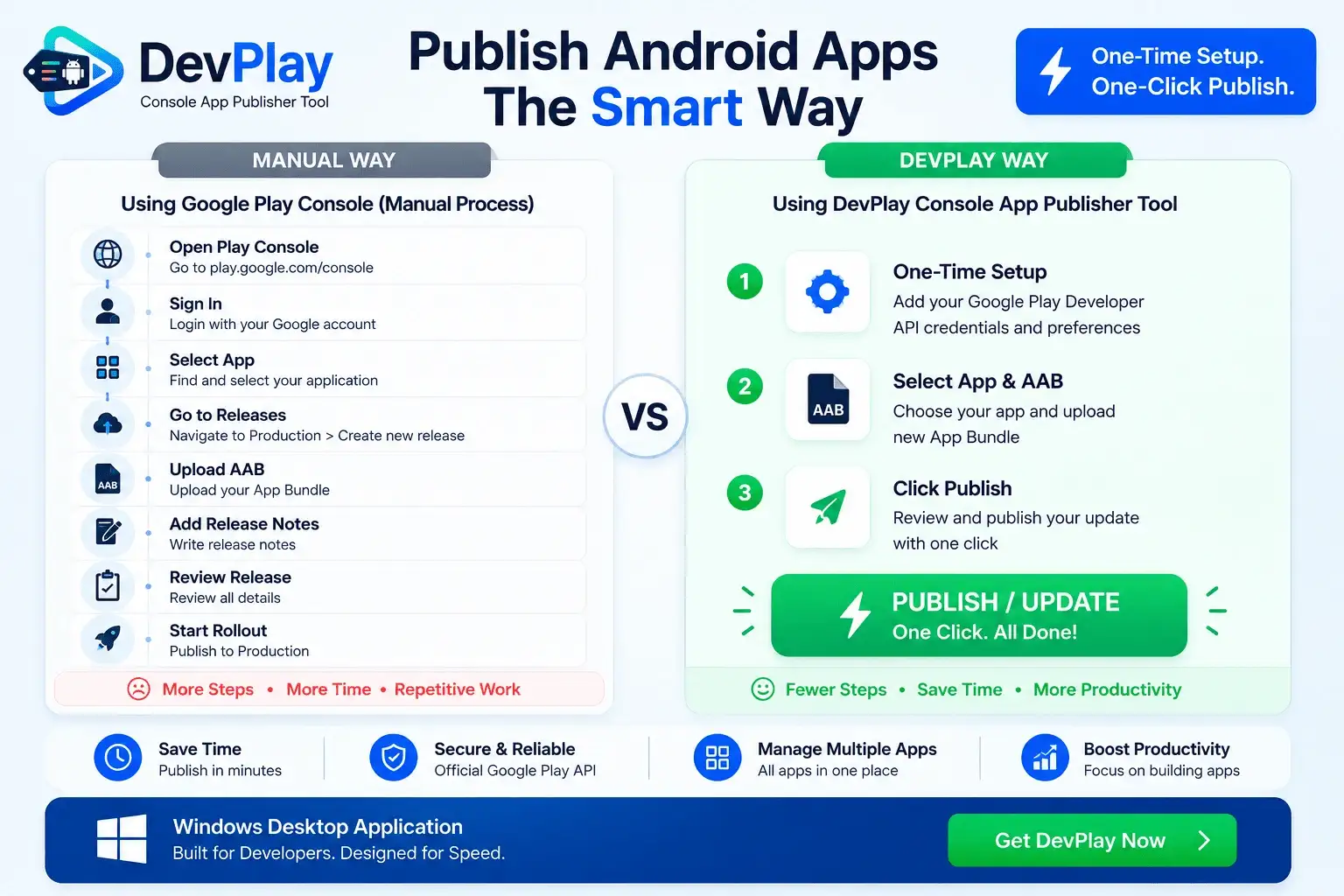
1. Repetitive Web Browser Workflows: Navigating through multiple pages (Dashboard βž” Production βž” Create New Release βž” Upload AAB βž” Release Notes βž” Review βž” Rollout) takes 15 to 20 minutes per update. Multiply this across 10 apps or multiple client projects, and developers lose 15+ hours every month just clicking web buttons.
2. Session Timeouts & Upload Drops: Large App Bundles (.aab files over 150MB) frequently stall or disconnect during web browser uploads, forcing developers to clear caches and restart the submission process from scratch.
3. Multi-Account & Multi-App Chaos: Managing distinct Google Developer accounts for client projects requires constant browser sign-outs, two-factor authentication prompts, and account switcher confusion. DevPlay Console Tool provides a centralized workspace to manage 50+ accounts simultaneously.
4. Localization Friction: Updating release notes, app descriptions, 512x512 PNG app icons, 1024x500 feature graphics, and phone screenshots across 50+ localized store languages is tedious when performed manually line by line.
5. Preventable Preflight Errors: Submitting an AAB with duplicate `versionCode`, mismatched signing hashes, or missing target SDK declarations causes sudden Play Console rejection warnings that delay critical production hotfixes.

DevPlay Console Tool tackles every single one of these challenges by moving your entire Client Android App Release Tool workflow into a dedicated, secure Windows application.

---

Deep Technical Capabilities & Feature Architecture


#

1. One-Click AAB & APK Publishing Pipeline

With DevPlay Console Tool, pushing an update to Google Play is as simple as selecting your target project and clicking Publish Update. The software communicates directly with Google's API endpoints to stream your compiled App Bundle, verify digital signatures, attach localized release notes, and trigger release rollout automatically without ever opening a web browser.

#

2. Store Listing Assets & Graphics Management

Manage your store listing metadata directly inside DevPlay Console Tool:
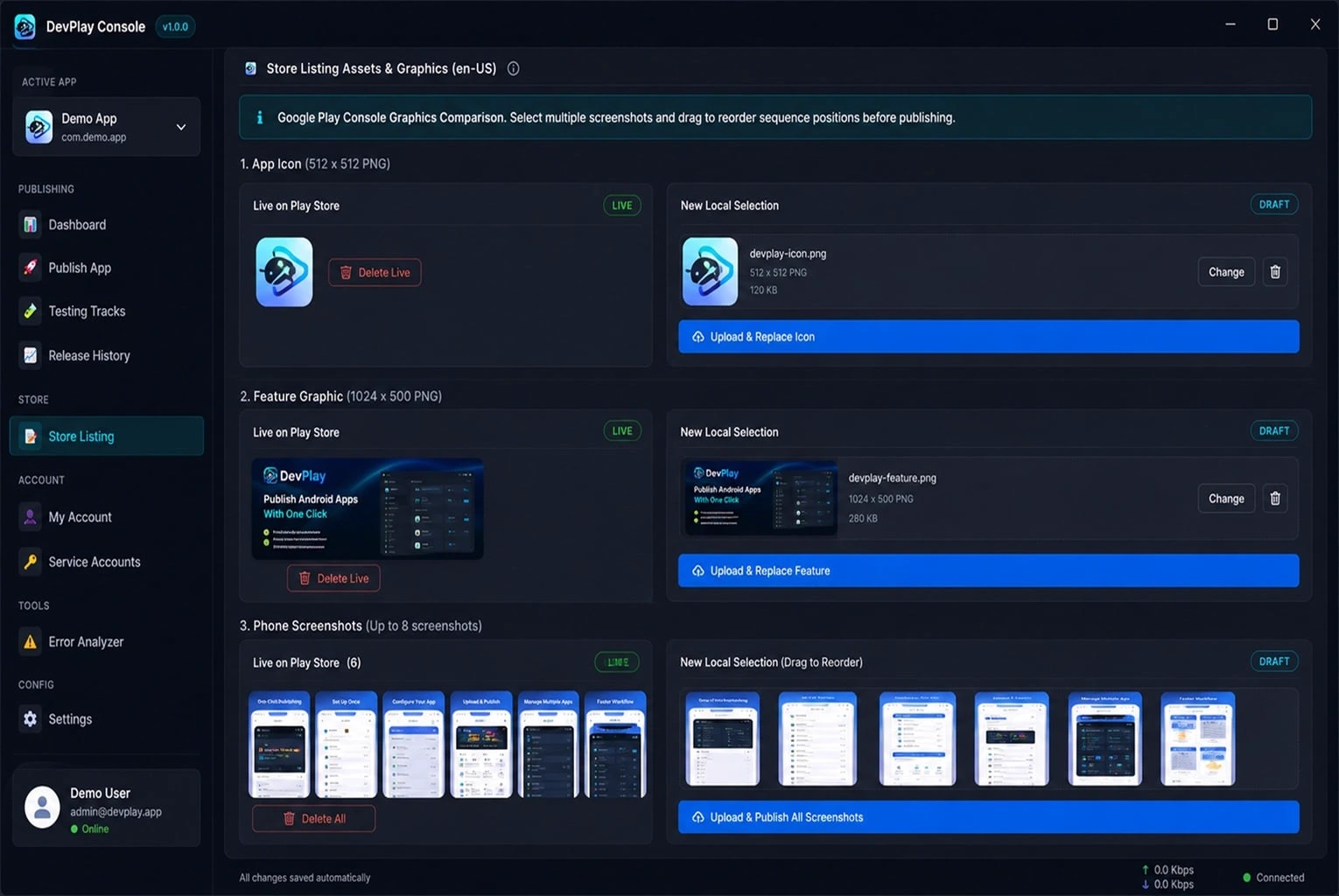
- App Icon (512 x 512 PNG): Inspect live icon on Google Play vs local selection, with 1-click replacement.
- Feature Graphic (1024 x 500 PNG): Compare current live feature graphic against new draft designs.
- Phone Screenshots (Up to 8 Screenshots): Reorder screenshot sequence positions via drag-and-drop before submitting to store listings.
- Localized Descriptions: Edit short and full descriptions across 50+ supported Play Store languages simultaneously.

#

3. Built-In Error Analyzer & Preflight Verification

Before transmitting any file to Google servers, DevPlay Console Tool's internal Error Analyzer inspects your build package locally:
- Verifies that `versionCode` is strictly greater than the current live version on your target release track.
- Validates APK/AAB keystore signatures against connected Google Play App Signing keys.
- Checks manifest permissions and target Android SDK version compliance.
- Alerts you instantly to potential rejection issues before submission.

#

4. Service Account Key Security & Local Privacy

DevPlay Console Tool respects developer data privacy:
- All Google Play Developer API credentials and Service Account JSON keys are encrypted locally using 256-bit AES encryption.
- No account passwords, API keys, or application binary files are ever transmitted to third-party servers.
- Communicates exclusively over HTTPS direct to official Google API endpoints (`androidpublisher.googleapis.com`).

---

Google Play Console Policy Compliance & Preflight Rules


Navigating Google Play Store policies requires strict adherence to technical and structural guidelines:
- Target API Level Compliance: Google Play requires new apps and updates to target the latest Android API level. DevPlay Console Tool flags builds that fall below requirement thresholds.
- Android App Bundle (.aab) Requirement: App Bundles generate optimized split APKs for individual device architectures, reducing download sizes by up to 30%. DevPlay Console Tool inspects compiled AAB modules prior to deployment.
- Automated Software Permission Linkage: DevPlay Console Tool's automated software setup wizard links all required publishing permissions automatically within the desktop app flow.
Frequently Asked Questions

Q. How does DevPlay Console Tool simplify Client Android App Release Tool?
DevPlay Console Tool connects directly to the official Google Play Developer API v3. Instead of opening Chrome, logging in, selecting your app, and dragging AABs by hand, DevPlay Console Tool performs your Client Android App Release Tool workflow in 1 click directly from your Windows PC.
Q. Is my Google Developer Account credential & JSON key safe?
Yes, 100%. DevPlay Console Tool runs locally on your Windows PC. Your Service Account credentials, API keys, and app binaries are stored strictly on your local machine using 256-bit AES encryption and never sent to external servers.
Q. How does the Store Listing Manager handle icons and graphics?
DevPlay Console Tool includes dedicated controls to preview, compare, and replace your App Icon (512x512 PNG), Feature Graphic (1024x500 PNG), and Phone Screenshots (up to 8 screenshots) before publishing to the Play Store.
Q. What does the built-in Error Analyzer inspect before publishing?
The Error Analyzer checks your build package locally for version code conflicts, keystore signature mismatches, package ID discrepancies, and permission declarations to ensure zero Play Store submission rejections.
Q. Is DevPlay Console Tool officially affiliated with Google?
No. DevPlay Console Tool is an independent desktop application built for Android developers. It uses Google's public, official Developer API v3 to interact securely with your developer account.
Q. How do I claim the 90-Day Free Trial and start publishing?
Download the setup (.exe) on your Windows PC to activate your full 90-Day Free Trial instantly with zero setup fees.
πŸŽ‰ 90-Day Free Trial

Start Publishing The Smart Way

Download DevPlay Console Tool for Windows today. One-time setup, 1-click publishing.

⚑ Download Free Trial (.exe) Get from Microsoft Store

πŸ” Targeted Search Topics

Android Publisher Deployment Release Updates AAB APK DevPlay Windows Store App Publisher Play Console AAB Upload Version Update Store Listing Error Analyzer Fast Release Developer Tool 1-Click Upload Production Track Google Play Console Android App Publisher AAB Upload Tool Windows Release Software Fast App Updates Store Listing Manager Service Account Setup Preflight Error Analyzer Multi App Suite Play Store Deployment Best Client Android App Release Tool Tool How to publish AAB with Client Android App Release Tool 1-Click Google Play Client Android App Release Tool Publish Android App Bundle fast using Client Android App Release Tool Client Android App Release Tool software for Windows PC Google Play Developer API Client Android App Release Tool Manage multiple apps with Client Android App Release Tool Client Android App Release Tool 90-Day Free Trial Fastest Client Android App Release Tool for Android Developers Simplify Android release workflow with Client Android App Release Tool How to update Android app on Play Store without web browser using Client Android App Release Tool Fastest way to publish AAB files to Google Play Production using Client Android App Release Tool Best Windows software for Android app developer releases with Client Android App Release Tool Automate Android app updates with Google Play Developer API and Client Android App Release Tool Simplify Google Play Store app listing graphics management using Client Android App Release Tool Android app bundle version code preflight inspector tool Client Android App Release Tool Publish Flutter React Native Unity app to Google Play Store in 1 click with Client Android App Release Tool Android developer tool for 90-day free trial download Client Android App Release Tool Centralized multi-app portfolio manager for Google Play Console using Client Android App Release Tool Zero rejection Play Store preflight build verification software Client Android App Release Tool

Related Guides

Multiple Client App Publisher Multiple Client App Publisher | DevPlay Console Tool β†’ Android App Management for Agencies Android App Management for Agencies | DevPlay Console Tool β†’ Android Release Management for Agencies Android Release Management for Agencies | DevPlay Console Tool β†’ Android Publishing Software for App Agencies Android Publishing Software for App Agencies | DevPlay Console Tool β†’ Android Publishing Tool for Agencies Android Publishing Tool for Agencies | DevPlay Console Tool β†’