Master Android Bundle Release Manager with DevPlay Console Tool
Comprehensive Guide & Overview of Android Bundle Release Manager
In the modern Android application ecosystem, speed, accuracy, and reliability are vital for maintaining high app ratings and user retention. Publishing a new Android App Bundle (.aab) or APK to the Google Play Store traditionally requires navigating complex web forms, managing multiple developer accounts, re-entering localized release notes across 50+ languages, and waiting for web browser upload sessions to complete. For developers, freelancers, agencies, and software studios managing dozens of applications, these manual web steps quickly become a major bottleneck in the software development lifecycle.
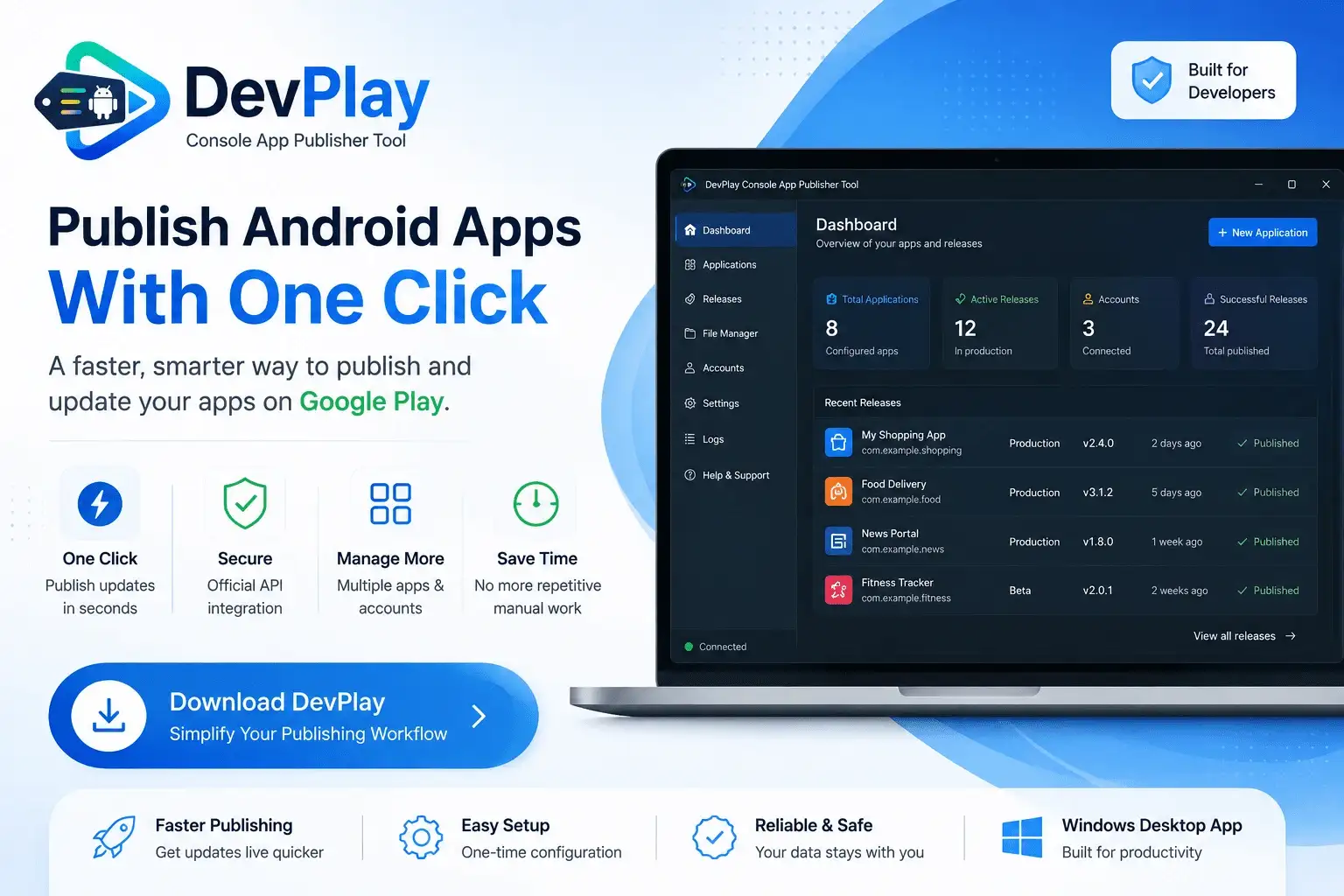
DevPlay Console Tool is a native, high-performance Windows desktop application engineered explicitly to streamline Android Bundle Release Manager. By leveraging the official Google Play Developer API v3, DevPlay Console Tool eliminates browser latency, automates version code inspection, manages Service Account JSON key credentials locally, and allows developers to push updates to Production, Beta, Alpha, or Internal testing tracks with a single click.
---
Deep Dive into Android App Bundle (.aab) Publishing & Optimization
The Android App Bundle (.aab) is Google Play's required publishing format for modern Android applications. Unlike legacy APKs, an App Bundle defers final APK generation and signing to Google Play, serving optimized split APKs tailored to each user's device architecture, CPU, and screen density.
DevPlay Console Tool provides comprehensive native support for Android Bundle Release Manager:
- Inspects compiled `.aab` zip structures and validates target SDK levels before uploading.
- Verifies package names and version codes against current live Play Store tracks.
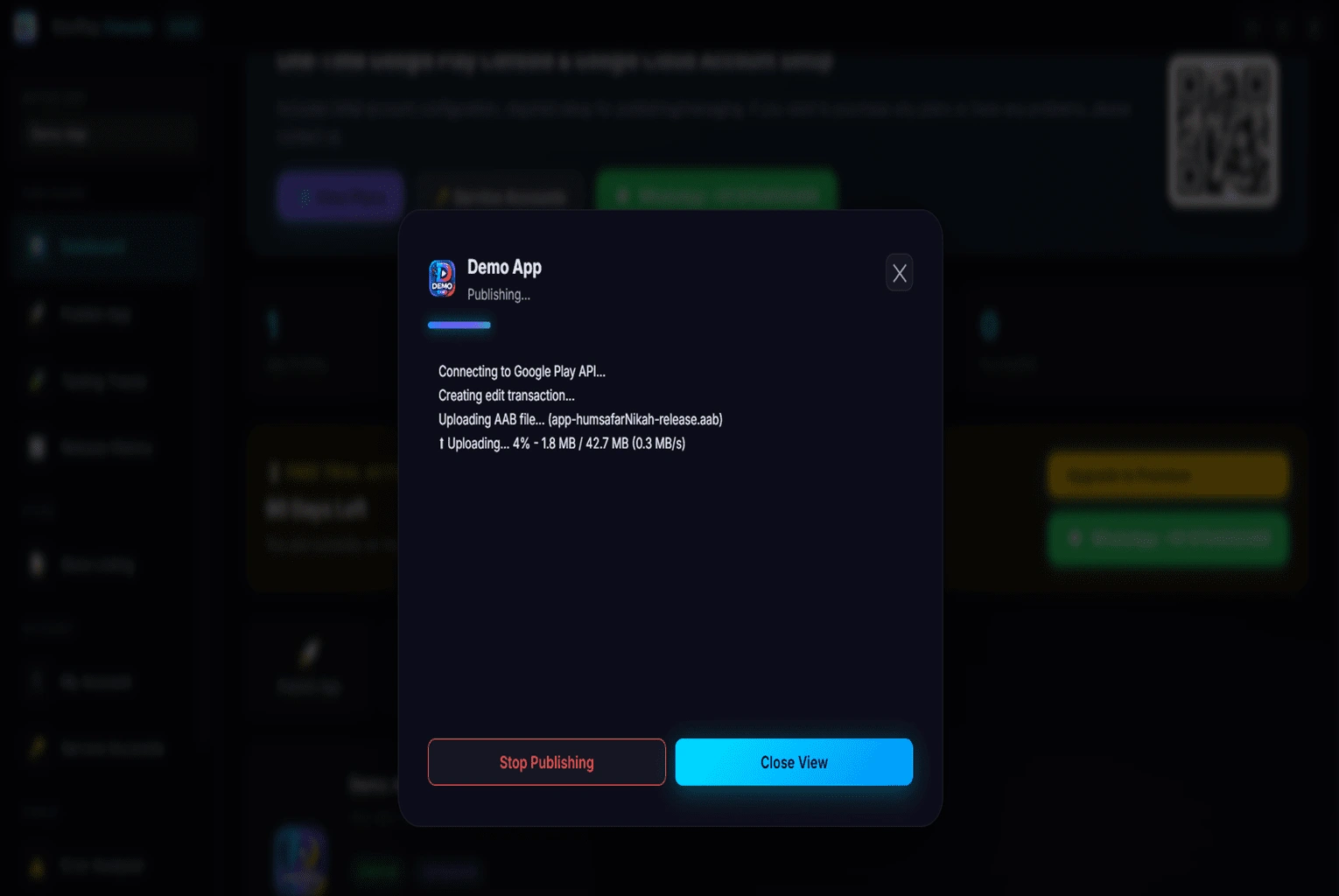
- Streams large AAB files over resilient multi-part HTTPS API connections to prevent upload drops.
---
Core Challenges Solved by Android Bundle Release Manager
When publishing Android applications manually through the Play Console web portal, developers regularly encounter recurring friction points that consume hours of productive coding time:
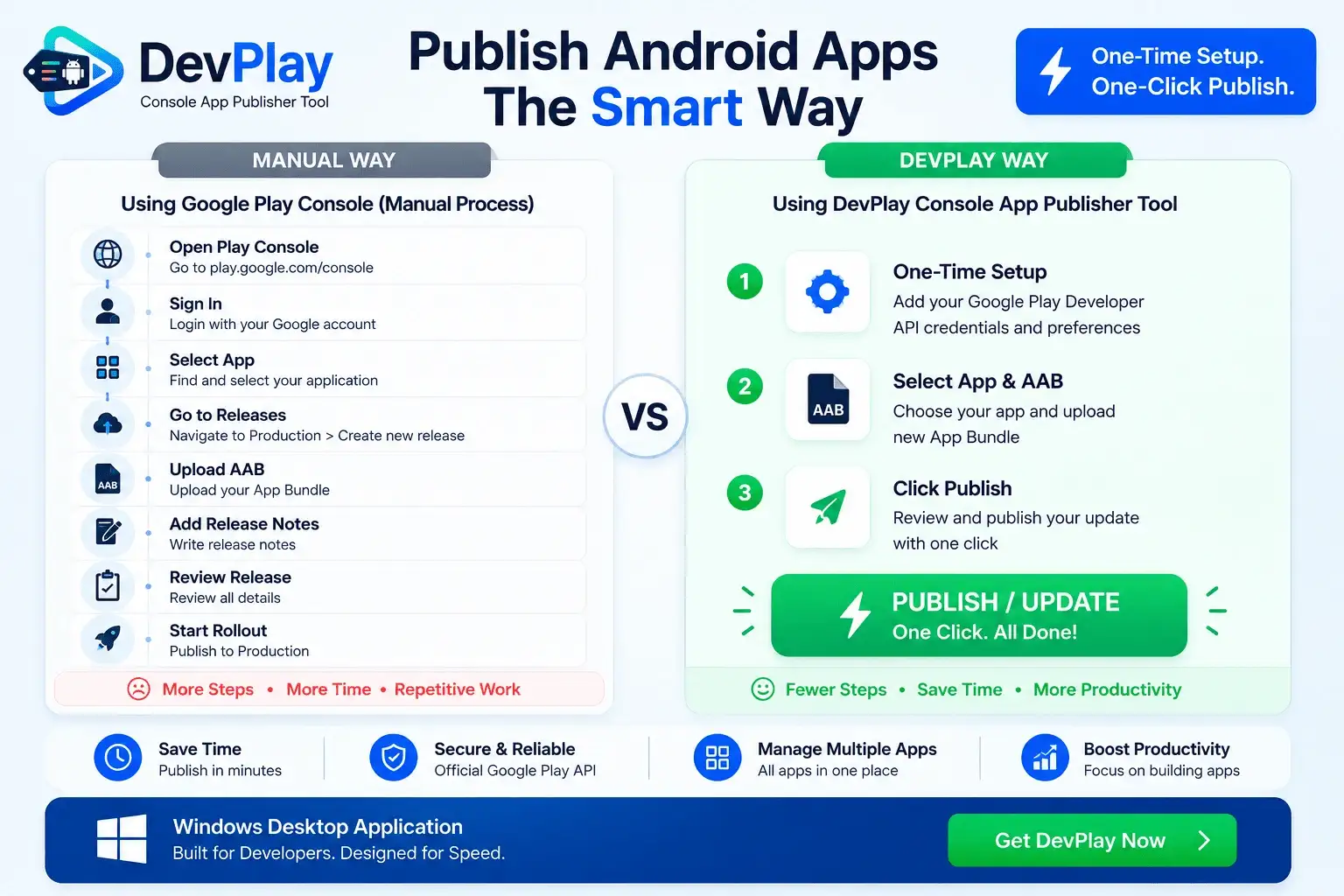
1. Repetitive Web Browser Workflows: Navigating through multiple pages (Dashboard ➔ Production ➔ Create New Release ➔ Upload AAB ➔ Release Notes ➔ Review ➔ Rollout) takes 15 to 20 minutes per update. Multiply this across 10 apps or multiple client projects, and developers lose 15+ hours every month just clicking web buttons.
2. Session Timeouts & Upload Drops: Large App Bundles (.aab files over 150MB) frequently stall or disconnect during web browser uploads, forcing developers to clear caches and restart the submission process from scratch.
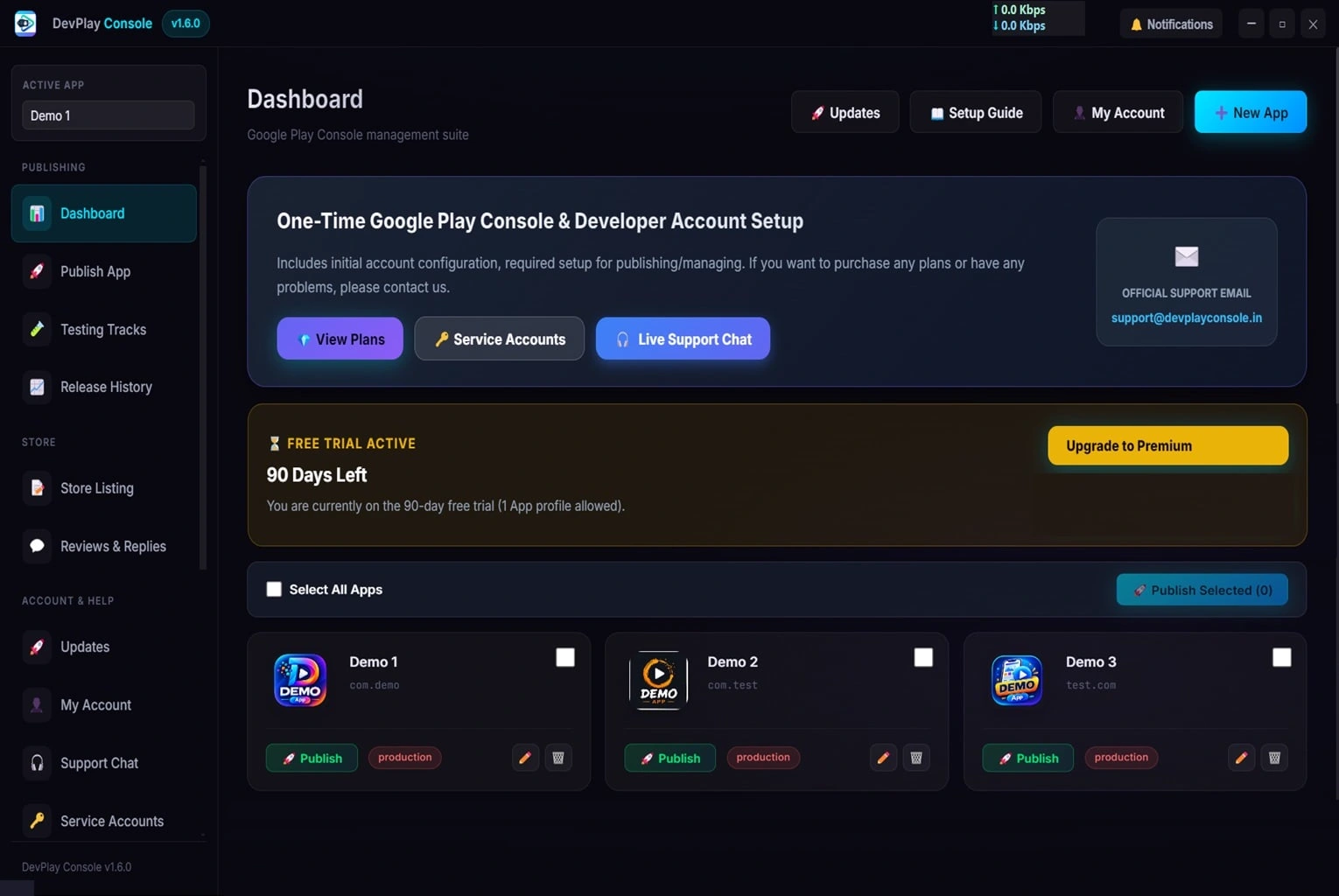
3. Multi-Account & Multi-App Chaos: Managing distinct Google Developer accounts for client projects requires constant browser sign-outs, two-factor authentication prompts, and account switcher confusion. DevPlay Console Tool provides a centralized workspace to manage 50+ accounts simultaneously.
4. Localization Friction: Updating release notes, app descriptions, 512x512 PNG app icons, 1024x500 feature graphics, and phone screenshots across 50+ localized store languages is tedious when performed manually line by line.
5. Preventable Preflight Errors: Submitting an AAB with duplicate `versionCode`, mismatched signing hashes, or missing target SDK declarations causes sudden Play Console rejection warnings that delay critical production hotfixes.
DevPlay Console Tool tackles every single one of these challenges by moving your entire Android Bundle Release Manager workflow into a dedicated, secure Windows application.
---
Deep Technical Capabilities & Feature Architecture
#1. One-Click AAB & APK Publishing Pipeline
With DevPlay Console Tool, pushing an update to Google Play is as simple as selecting your target project and clicking Publish Update. The software communicates directly with Google's API endpoints to stream your compiled App Bundle, verify digital signatures, attach localized release notes, and trigger release rollout automatically without ever opening a web browser.
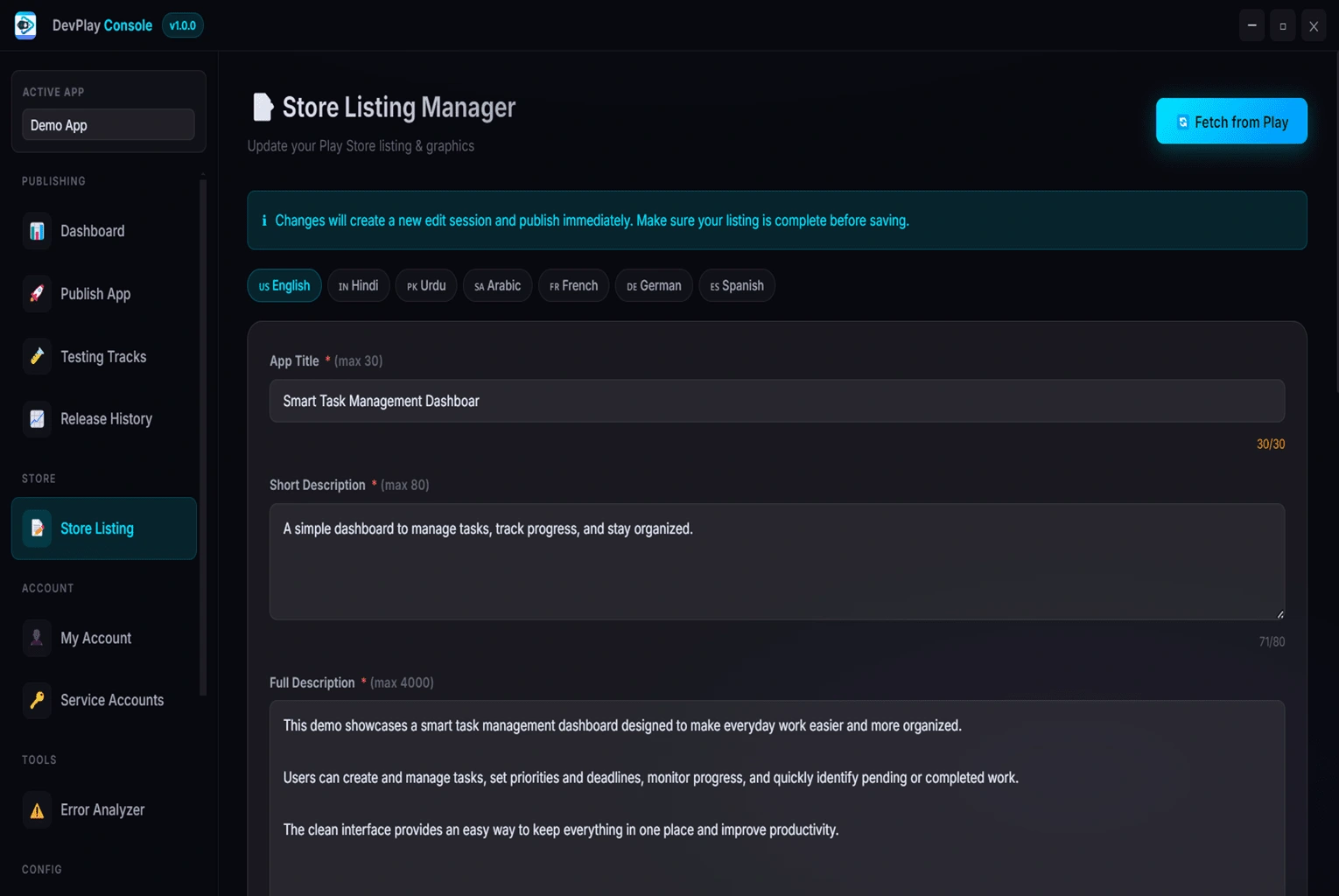
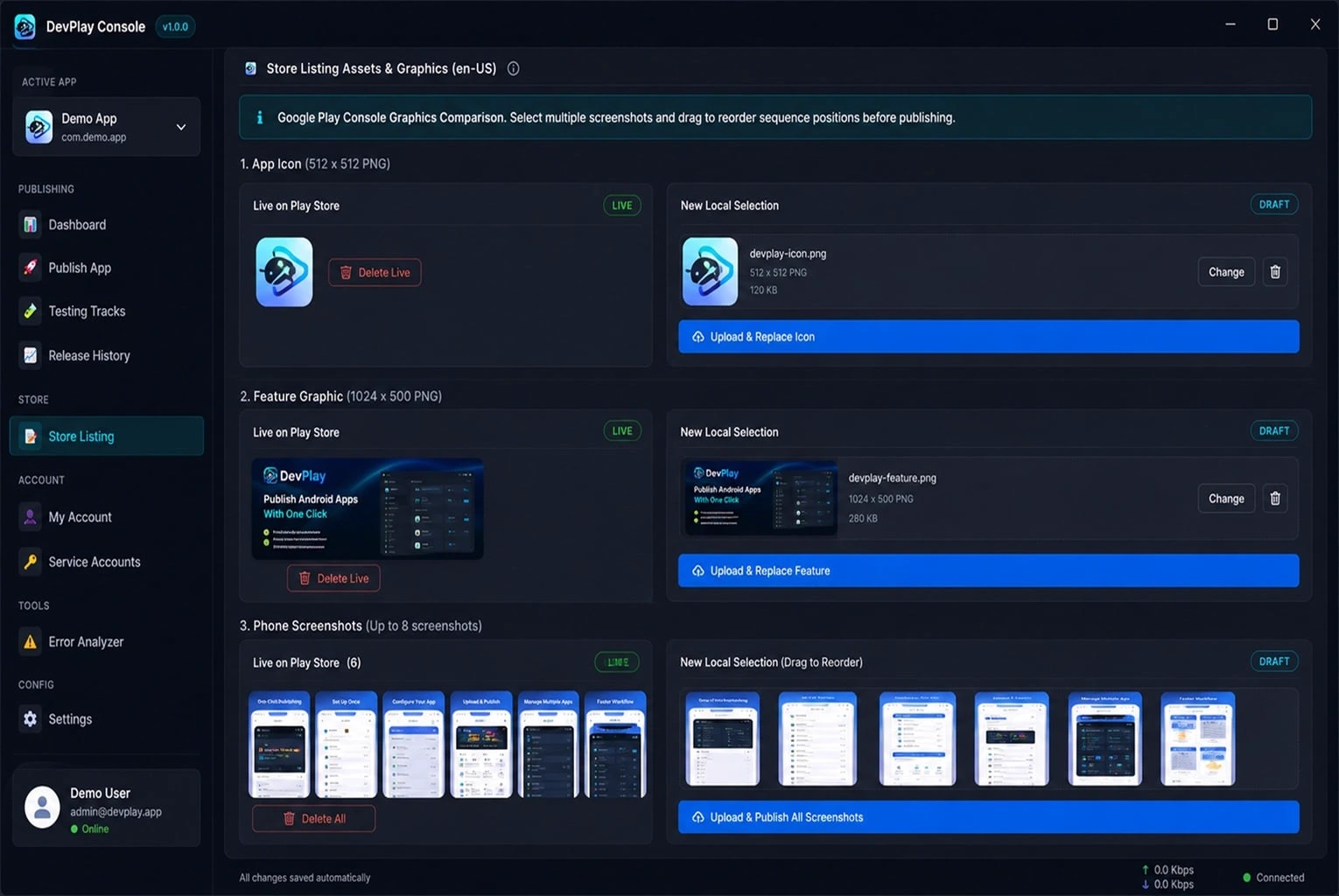
#2. Store Listing Assets & Graphics Management
Manage your store listing metadata directly inside DevPlay Console Tool:
- App Icon (512 x 512 PNG): Inspect live icon on Google Play vs local selection, with 1-click replacement.
- Feature Graphic (1024 x 500 PNG): Compare current live feature graphic against new draft designs.
- Phone Screenshots (Up to 8 Screenshots): Reorder screenshot sequence positions via drag-and-drop before submitting to store listings.
- Localized Descriptions: Edit short and full descriptions across 50+ supported Play Store languages simultaneously.
#3. Built-In Error Analyzer & Preflight Verification
Before transmitting any file to Google servers, DevPlay Console Tool's internal Error Analyzer inspects your build package locally:
- Verifies that `versionCode` is strictly greater than the current live version on your target release track.
- Validates APK/AAB keystore signatures against connected Google Play App Signing keys.
- Checks manifest permissions and target Android SDK version compliance.
- Alerts you instantly to potential rejection issues before submission.
#4. Service Account Key Security & Local Privacy
DevPlay Console Tool respects developer data privacy:
- All Google Play Developer API credentials and Service Account JSON keys are encrypted locally using 256-bit AES encryption.
- No account passwords, API keys, or application binary files are ever transmitted to third-party servers.
- Communicates exclusively over HTTPS direct to official Google API endpoints (`androidpublisher.googleapis.com`).
---
Google Play Console Policy Compliance & Preflight Rules
Navigating Google Play Store policies requires strict adherence to technical and structural guidelines:
- Target API Level Compliance: Google Play requires new apps and updates to target the latest Android API level. DevPlay Console Tool flags builds that fall below requirement thresholds.
- Android App Bundle (.aab) Requirement: App Bundles generate optimized split APKs for individual device architectures, reducing download sizes by up to 30%. DevPlay Console Tool inspects compiled AAB modules prior to deployment.
- Automated Software Permission Linkage: DevPlay Console Tool's automated software setup wizard links all required publishing permissions automatically within the desktop app flow.